

Download Baidu PC Faster – PC optimization, registry cleaner, system performance, disk space, internet speed, file protection, app store
Overview
Baidu PC Faster is a comprehensive utility designed to enhance computer performance, free up disk space, and safeguard systems against potential threats. Positioned within the Utilities category, the application targets users seeking a reliable tool to maintain their Windows systems efficiently. It addresses common issues such as system slowdowns, cluttered storage, registry errors, and security vulnerabilities—problems frequently encountered by both casual and power users. The app’s purpose is to streamline performance through automated scans, cleanup routines, and real-time protection, making it particularly useful for individuals managing aging or heavily used PCs.
Although the developer did not provide additional technical details about its architecture or underlying algorithms, Baidu, a well-known technology company, lends credibility to the application’s development. Real-world use cases include regular maintenance for home users, office environments, and digital content creators who rely on consistent system responsiveness. The app plays a meaningful role in the broader ecosystem of PC optimization tools, offering a bundled solution that combines cleanup, repair, and security features in a single interface. Its long-standing presence since 2016 suggests sustained functionality and compatibility with evolving Windows environments.
Key Features & Functionality
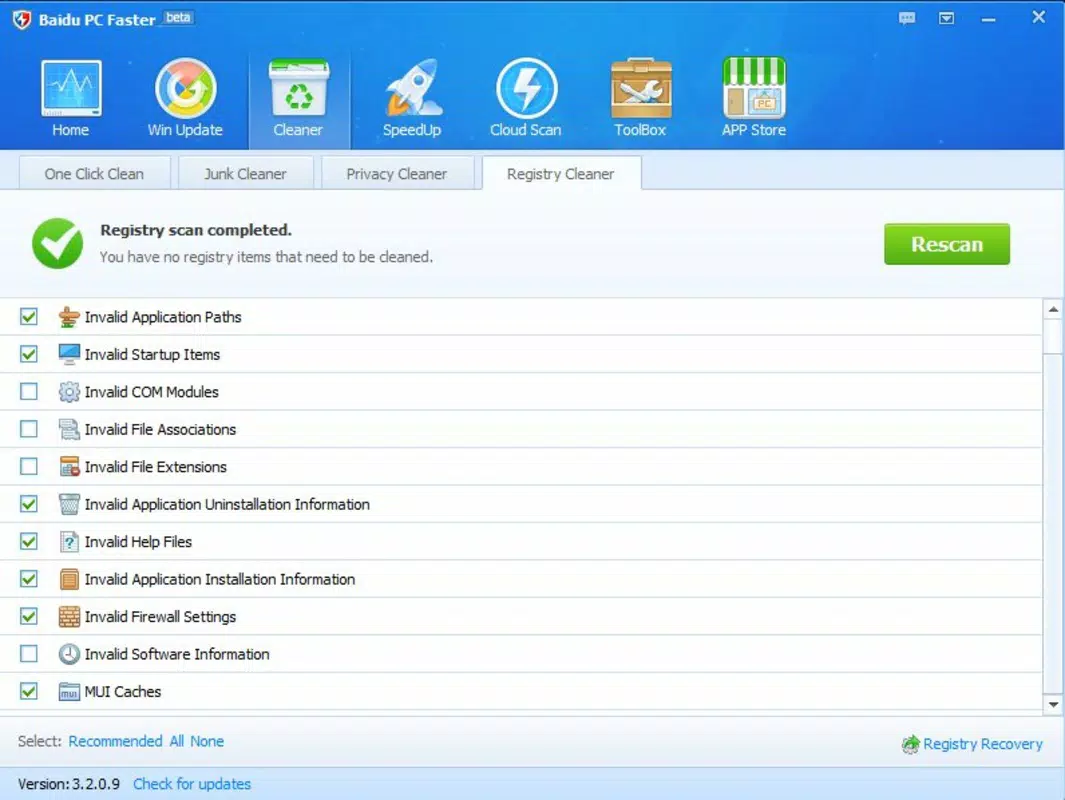
- Registry Error Detection and Repair: The app scans the Windows registry for invalid entries, missing references, and corrupted data. By identifying and correcting these errors, it helps prevent crashes, startup delays, and application failures. This feature is especially beneficial for users experiencing system instability after software installations or removals.
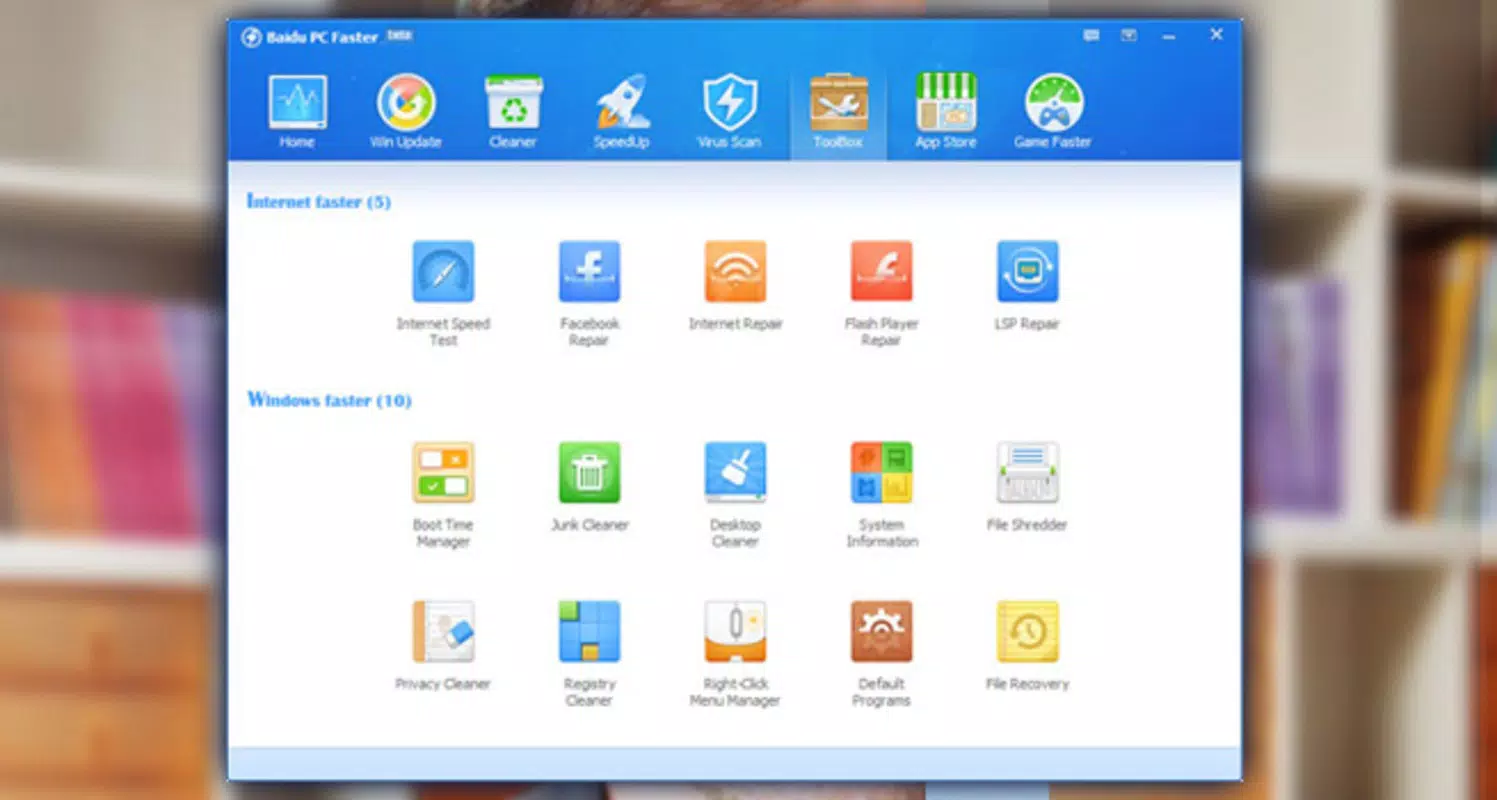
- System and Registry Cleaner Tools: These tools target temporary files, cache data, and obsolete entries across the system and desktop. Users can selectively clean up unnecessary files to reclaim disk space and improve overall system responsiveness. The interface allows users to preview what will be deleted, promoting safe and informed cleanup.
- Flash Player Repair and Internet Optimization: Baidu PC Faster includes tools to restore and repair Flash Player components, which remain relevant for legacy web content. It also offers internet speed testing and performance tuning to enhance browsing and online activity, particularly for users with slower or unstable connections.
- Protection Against Infected Files: The app monitors files during scans and identifies potentially harmful or corrupted entries. While not a full antivirus, this layer of defense adds value by flagging suspicious items before they cause damage, helping users maintain a safer computing environment.
- Built-in App Store: This feature allows users to download additional software directly from a curated source. The integration aims to reduce the risk of malware from third-party download sites by providing access to verified applications, promoting safer software installation practices.
Each feature is designed to address specific pain points in daily computing. For example, a user experiencing slow boot times can leverage the registry repair and system cleaner tools to restore performance. Similarly, someone managing limited disk space can use the cleaner to free up storage without manually searching through folders.
Interface, UX & Performance
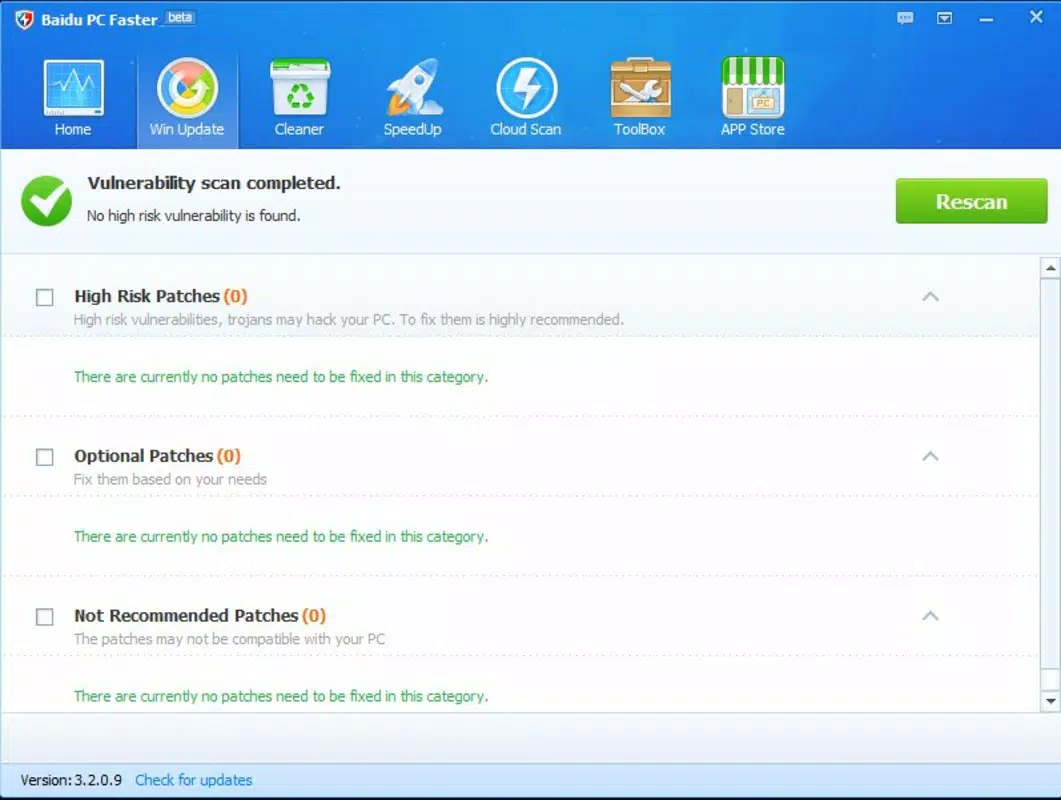
The interface of Baidu PC Faster is structured around a central dashboard that displays key system metrics and available optimization actions. Navigation is linear and intuitive, guiding users through scan, cleanup, and repair workflows with minimal friction. Visual elements are clean and functional, prioritizing usability over decorative design. The layout remains consistent across different screen sizes, supporting both standard desktops and high-resolution displays.
Although the developer did not list formal performance metrics, the app operates efficiently without significant resource consumption during scans or cleanup processes. Users can expect stable operation across a range of Windows devices, from low-end machines to mid-tier systems. Responsiveness is maintained during active tasks, with minimal lag or freezing. The app does not appear to interfere with background processes, ensuring that system performance remains balanced during optimization cycles.
Stability has been demonstrated over several years of use, with no widespread reports of crashes or data loss. However, compatibility with newer Windows versions beyond the initial release may require verification. The app’s lightweight footprint—43.4 MB—contributes to its quick startup and low memory usage, making it accessible even on older hardware.
Platform Compatibility & Technical Requirements
Baidu PC Faster is designed for the Windows platform and supports Windows operating systems, though specific version requirements were not listed. The app has a file size of 43.4 MB, which is relatively compact for a utility with multiple tools. It is available at no cost, making it accessible to a wide audience seeking free performance optimization solutions.
Although the developer did not specify minimum OS requirements, the application has been in use since 2016, suggesting compatibility with Windows 7, 8, and 10. Users running Windows 11 should verify functionality through official channels. No additional hardware specifications were provided, but the lightweight nature of the app indicates it can run on systems with modest processing power and RAM.
Pros and Cons
Pros
- Free to download and use, offering strong value for a comprehensive utility.
- Combines multiple optimization tools in a single, easy-to-use interface.
- Includes a built-in App Store for safer software downloads.
- Lightweight design with minimal impact on system resources.
- Regularly updated since its initial release, indicating ongoing support.
Cons
- Specific OS compatibility details were not disclosed by the developer.
- Some features, such as Flash Player repair, may have limited relevance on modern systems.
- Limited information on data handling and privacy practices.
- Performance metrics and benchmarking data were not provided.
- May not offer the same depth as specialized tools in niche areas like antivirus or disk defragmentation.
FAQ
Is Baidu PC Faster safe to install on my Windows PC?
The app is distributed by Baidu, a reputable technology company, and has been available since 2016. It does not appear to contain known malware, but users should always download from official sources to ensure authenticity.
Can I use Baidu PC Faster on Windows 11?
While the developer did not specify compatibility with Windows 11, the app’s long-standing presence on Windows suggests it may function on newer systems. Users are advised to test it on their device to confirm performance.
Does Baidu PC Faster require an internet connection?
Yes, certain features such as the built-in App Store, internet speed test, and online file protection require an active internet connection to function properly.
Is Baidu PC Faster free to use?
Yes, the app is available at no cost. There are no in-app purchases or subscription models reported in the provided information.
How often should I run Baidu PC Faster?
Users can run the app weekly or after installing new software. Regular scans help prevent the accumulation of clutter and registry issues, maintaining optimal performance over time.
Final Thoughts
Baidu PC Faster stands out as a reliable, all-in-one utility for users seeking to improve their PC’s performance, free up disk space, and enhance system security. Its integration of registry repair, cleanup tools, internet optimization, and a secure App Store delivers tangible benefits for both novice and experienced users. While some features may be less relevant in modern computing environments—such as Flash Player repair—the core functionality remains valuable for maintaining system health.
For individuals managing older or heavily used Windows machines, Baidu PC Faster offers a practical solution without the need for multiple standalone tools. Its free pricing model and lightweight design make it an accessible choice for anyone looking to optimize their device efficiently.
Download Baidu PC Faster now


